Thursday, April 19, 2007

Google Documents & Spreadsheets (cont.)

There is an interesting article titled: Google Presentations: Are We Heading to a Google Office Suite? at the following URL:

http://www.playfuls.com/news_07049_Google_Presentations_Are_We_Heading_to_a_Google_Office_Suite.html

Tuesday, April 17, 2007

Wikis

I set up a wiki for book recommendations on both PBWiki using the title "Have I Got a Book for You!" and on Wetpaint using the same title "Have I Got a Book for You!" I prefer PBWiki, as it is easier and more friendly to use and to look at. I appreciate the capability of using colour to enhance the blog entries. There is also a better choice of fonts available. The only problem I had was getting the font to match everyone else on the sidebar.
Bloglines vs Google Reader

After weeks of using both Bloglines and Google Reader, I have finally decided that I prefer Google Reader. I like the look of the Reader, it's easier to read and navigate. I also like the fact that the Reader only marks as read those 20 items currently in the right-hand pane. When using Bloglines, all items in a feed are marked as read whether I've viewed everything or not. If I have to leave the feed I loose all of the unread material. With the Reader, I can go back and continue reading at a later time. I also found that it was easier to add feeds with Reader.

Friday, April 13, 2007


Flickr

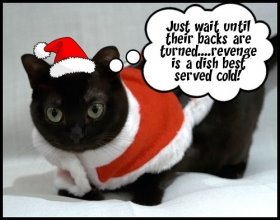
I finally got my digital camera out and uploaded a number of pictures to Flickr. The process was very easy, and the pictures look pretty good. If anyone is interested, they can be viewed by searching my flickr account (afmccrone). Found this picture of a burmese cat with attitude

Tuesday, April 10, 2007

Google Documents & Spreadsheets

Very interesting applications. You can create a document or spreadsheet in much the same way you use Word or Excel and save it to a secure site on Google. This allows you to access the document from anywhere you have access to the internet. You don't have to be at your desk and you don't have to worry that your hard drive might crash.

You can invite others (by email) to collaborate on the document. Documents and spreadsheets can be published to the web or to your blog. You can email these as attachments.

It doesn't have all the bells and whistles of Word or WordPerfect (e.g. limited fonts, text size, formatting) but it's quite good.
Librarything.com

Back when we started Learning 2.0@Mac, my first blog dealt with a new free program I found called Librarything. Last week I inadvertently deleted it from my blog. I noticed that it came up as one of the activities for week 8 so hope that many of you have taken the opportunity to investigate it.

For those of you who haven't it is well worth the look. Librarything is a social catalogue that allows you to catalogue your book collection (free for up to 200 books), and maintain reading and wish lists. You can keep your catalogue private or go public allowing others with similar interests to see your collection.

When you add books to your list, you can search Amazon, the Library of Congress and other libraries from around the world for cataloguing information. When you locate the right book and edition you are provided with all of the bibliographic information as well as LC and Dewey classifications. You can also add your own tags.

My first posts can be viewed at librarything.com. Click on the search button and under "search users" type in "motherthing".

Tuesday, April 3, 2007

Library Laugh of the Week

While doing IM this afternoon I received what had to be the most unusual request for info that I've had in a long time:

"I'm looking for any reference material that cites the
amount of pressure (psi) needed to crush a testicle"

The requester was quick to add that she ran a women's self-defense webpage. I don't know if this added note was to show that she had a legitimate need for the info and not because she was planning to do some damage;-)